
Dev log 2: how you control the ships
Port Control dev log 2: the orders you give to the harbour traffic. Proceed to and Hold over the VHF radio, pilots who board and take direct orders, berths, and tugs for the big ships.
Ahoy, dispatchers!
I’m back with more about Port Control, our upcoming port traffic game. Last time I showed how a ship calls in on the VHF radio. Today: how you control the ships once they are in.
Proceed to and Hold
Once a ship has called in, you can give it orders. The most common one is Proceed to. It sends the ship to any place on the map: a quay, an approach, an anchorage, a point on the water.
Click Proceed to on the ship’s panel, then the place on the map. The order goes out on the radio. The ship reads it back and goes.
Or it says no, and tells you why.
Hold stops the ship. Just not on the spot: a ship has no brakes.
Pilots
You can send a pilot boat to a ship. Once the pilot is on board, the ship does what you say at once. No radio call, no waiting for the answer. And you get more orders.
With a pilot you can draw a line, and the ship follows it closely to where you want it.
You can also send the ship onto a lane, one of the port’s stored lines. It joins the lane and follows it to the end.
A pilot also lets you put the engine astern, to back the ship up. Speed you can set on any ship, but with a pilot it changes at once. And a ship with a pilot keeps right on the lane. Without one it drifts off the line a bit.
Clear to berth
A ship that comes to load or unload asks for a berth. You clear it and pick its space on the quay. The ship sails in and moors.
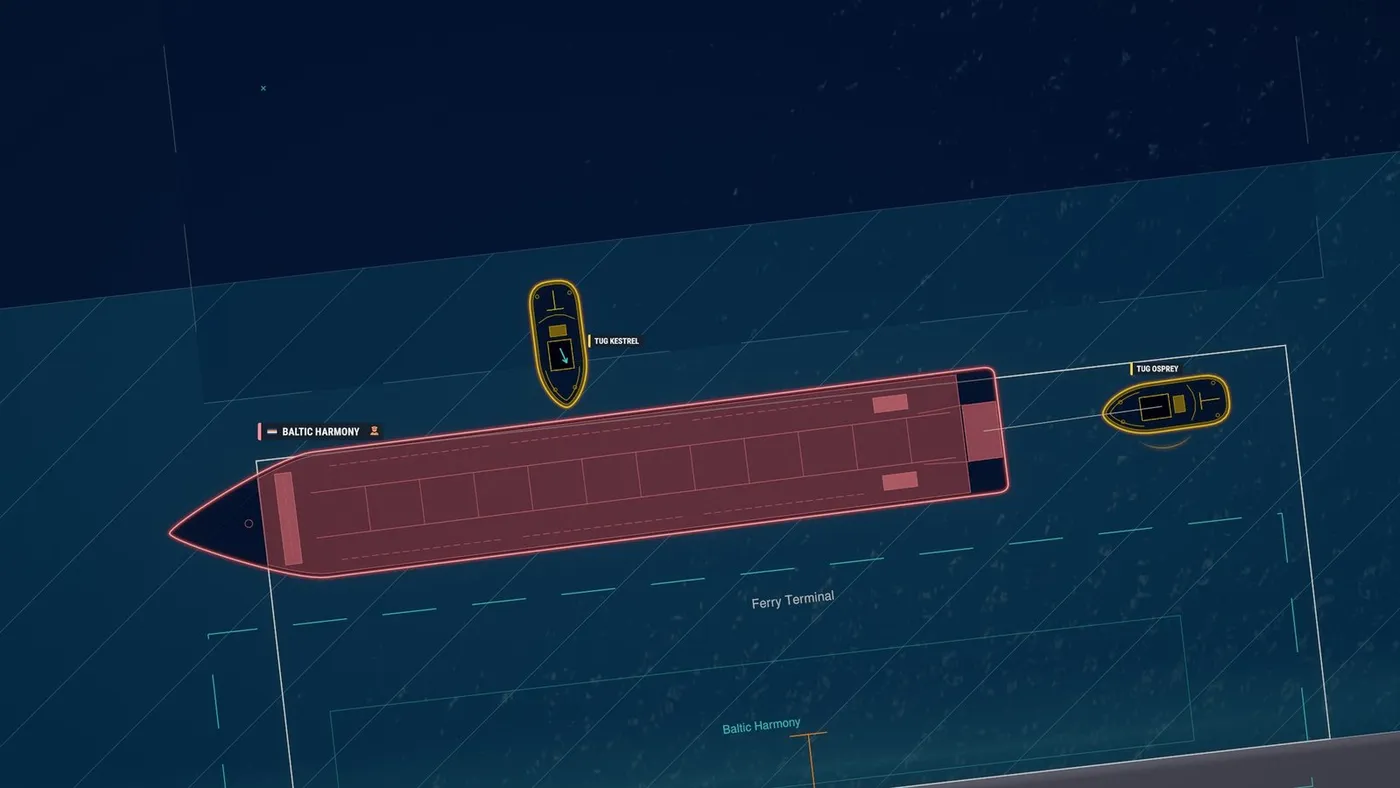
Bigger ships can’t moor on their own. They need tugs. You make the tugs fast to the ship and push or pull it into its space. Tugs also help a big ship turn in tight spots.
Next
That’s it for the ships and how they move, for now. Next time: what they bring in and take out. Cargo, and passengers!
Want the next one by email? Join the list. And if you like what you see, wishlist Port Control on Steam.